Ryzen 5 5600G is a powerful processor that comes with integrated Radeon graphics. However, in our testing with the latest GPUs, we found that Ryzen 5 5600g is not properly compatible with some PCIe 5.0 and 4.0-based graphics cards.
Therefore, we have created an up-to-date list of 7 affordable and compatible GPUs for Ryzen 5 5600g to play games at Full HD resolution.
Also, these GPUs has advanced Ray tracing capabilities with DLSS for handling modern games at 2k resolutions.
So let’s check them.
Quick Recommendation: The Top Pick for 2026
Short on time? The AMD Radeon RX 9060 XT 16GB is the clear winner. It has a full x16 PCIe interface, 16GB of VRAM, and costs $349. It’s the only modern GPU in its tier built specifically to avoid the bottleneck your CPU creates.
Best Graphics Card for Ryzen 5 5600G in 2026
Here is a list of the best graphics cards compatible with your Ryzen 5 5600G, including the latest releases and proven value picks from recent years.
| # | GPU Name | Best For | PCIe Interface |
|---|---|---|---|
| 1 | AMD RX 9060 XT 16GB | Best Overall Value (2026) | x16 (No Bottleneck) |
| 2 | NVIDIA RTX 5060 Ti 16GB | Best Nvidia Features | x8 (Slight Bottleneck) |
| 3 | NVIDIA RTX 3060 12GB | Best Budget / Legacy | x16 (No Bottleneck) |
| 4 | NVIDIA RTX 3060 Ti 8GB | Realistic 1440p Gaming | x16 (No Bottleneck) |
| 5 | AMD RX 6650 XT 8GB | Very Smooth 1080p Gaming | x8 (Slight Bottleneck) |
| 6 | AMD RX 7600 8GB | High Frame Rates on 1080p | x8 (Slight Bottleneck) |
| 7 | AMD RX 6600 8GB | Affordable 1080p Gaming | x8 (Slight Bottleneck) |
Note: The Ryzen 5 5600G is a PCIe 3.0 processor. GPUs with an x8 interface (like the RTX 5060, RTX 4060) will have reduced bandwidth on your system. GPUs with a full x16 interface (like the RX 9060 XT and RTX 3060) will perform at their full potential.
View the GPU compatibilities with the new Ryzen 5 8600g processor.
1. Asus Prime Radeon RX 9060 XT 16GB – Best Overall Value (2026)
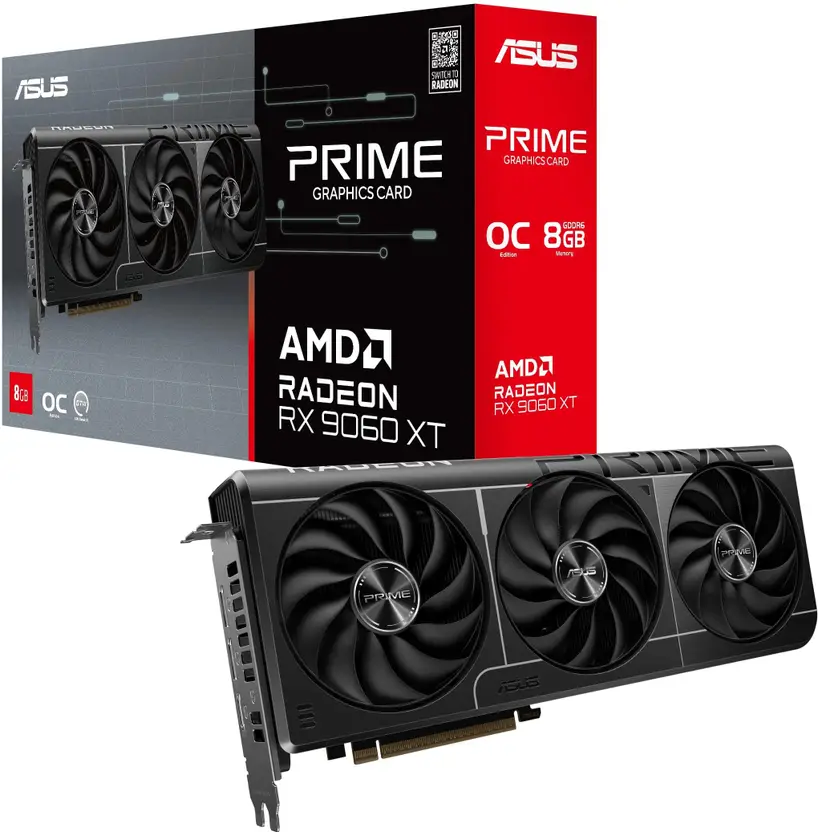
This is my top recommendation for your specific setup. Here’s why it stands apart.
Most mid-range GPUs in 2026 use a cost-cutting x8 PCIe interface. That’s a problem for you. Your Ryzen 5 5600G is stuck on PCIe 3.0, which means x8 cards lose significant bandwidth. The RX 9060 XT is different. It uses a full x16 lane interface.
What does that mean? It means zero PCIe bottleneck on your system. You get the card’s full performance, period.
RX 9060 XT 16GB Full Specifications
| GPU Architecture | RDNA 4 (Navi 44 XT) |
| VRAM | 16GB GDDR6 |
| Memory Bus | 128-bit |
| Infinity Cache | 32 MB |
| Boost Clock | Up to 3130 MHz |
| Shading Units | 2048 |
| Ray Tracing Cores | 32 |
| PCIe Interface | PCIe 5.0 x16 |
| TDP (Max Power Draw) | 160W |
| MSRP | $349 |
Pros and Cons
| Pros | Cons |
|---|---|
| Full x16 PCIe lanes (no bottleneck on PCIe 3.0) | Ray tracing is weaker than Nvidia equivalent |
| 16GB VRAM, excellent for 1440p and future-proofing | No DLSS; relies on AMD FSR |
| Extremely competitive price at $349 | Driver ecosystem perceived as less mature |
Real World Testing of the RX 9060 XT
In Hardware Unboxed testing (June 2025), the RX 9060 XT 16GB was up to 6% faster at 1440p than the RTX 5060 Ti 8GB across 40 tested titles. In Resident Evil 4 at 1440p, it achieved 106 FPS. In Cyberpunk 2077, it averaged 64 FPS.
Expert Take
“The Radeon RX 9060 XT 16GB often provides better gaming performance per dollar compared to the GeForce RTX 5060 Ti 8GB.”- Gamers Nexus (June 2025 Review)
2. Zotac GeForce RTX 5060 Ti 16GB – Best for Nvidia Features (2026)
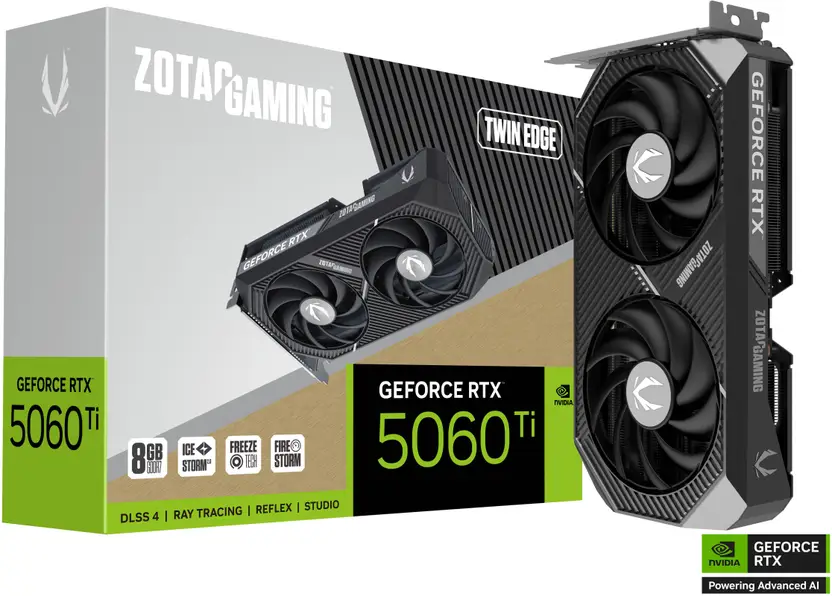
Need DLSS 4 and Nvidia’s feature stack? This is the card for you. But you need to be aware of a trade-off.
The RTX 5060 Ti delivers a 15-20% performance uplift over the older RTX 4060 Ti. It supports Multi-Frame Generation (MFG), which can nearly double your perceived frame rate in supported games.
Here’s the warning. This card uses a PCIe x8 interface. On your Ryzen 5 5600G with PCIe 3.0, you will see a slight performance penalty in some bandwidth-heavy games.
RTX 5060 Ti 16GB Full Specifications
| GPU Architecture | Blackwell (GB206) |
| VRAM | 16GB GDDR7 |
| Memory Bus | 128-bit |
| Boost Clock | Up to 2572 MHz |
| CUDA Cores | 4608 |
| PCIe Interface | PCIe 5.0 x8 |
| TDP (Max Power Draw) | 180W |
| MSRP | $429 |
Pros and Cons
| Pros | Cons |
|---|---|
| DLSS 4 with Multi-Frame Generation for huge FPS boosts | x8 PCIe interface causes slight performance loss on PCIe 3.0 |
| Best-in-class ray tracing at this price point | Higher MSRP ($429) than RX 9060 XT |
| 16GB VRAM avoids stuttering in modern AAA games | Multi-Frame Generation adds input latency |
Real World Testing of the RTX 5060 Ti
According to Tom’s Hardware (April 2025), the RTX 5060 Ti 16GB shows a 15-17% performance increase over the RTX 4060 Ti at 1080p. In Cyberpunk 2077 and Hogwarts Legacy at 1440p with DLSS 4, it achieves over 100 FPS.
Expert Take
“For 2026, the RTX 5060 Ti 16GB is the best mainstream graphics card… The increased VRAM is particularly beneficial.”- Tom’s Hardware (GPU Hierarchy, January 2026)
3. MSI GeForce RTX 3060 12GB – Best Budget / Legacy Pick
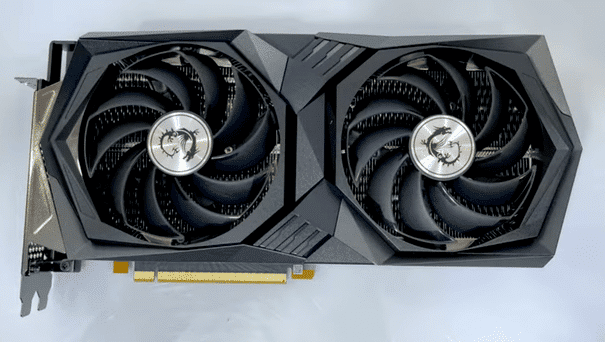
Wait, recommending an older card in 2026? Absolutely. And here’s why.
The RTX 3060 12GB uses a full x16 PCIe interface. Unlike the newer RTX 4060 and 5060, the 3060 won’t suffer any bandwidth throttling on your PCIe 3.0 system. It also has 12GB of VRAM. Reviewers have noted that many 8GB cards stutter in demanding 2025-era games, while the 3060 handles them smoothly.
With high-quality visuals and support for 2nd generation ray tracing, this GPU lets you play advanced games with enhanced Tensor cores and AI performance. The 12 GB of GDDR6 memory can run the latest games with zero hiccups.
RTX 3060 12GB Full Specifications
| GPU Architecture | Ampere (GA106) |
| VRAM | 12GB GDDR6 |
| Memory Bus | 192-bit |
| Boost Clock | Up to 1777 MHz |
| CUDA Cores | 3584 |
| PCIe Interface | PCIe 4.0 x16 |
| TDP | 170W |
| Street Price (2026) | Under $200 (new/used) |
Pros and Cons
| Pros | Cons |
|---|---|
| Full x16 interface (zero PCIe 3.0 bottleneck) | Raw performance is slower than newer cards |
| 12GB VRAM is better than many current-gen 8GB cards | No DLSS 3 or Frame Generation support |
| Extremely cheap (under $200) | Driver support will eventually be deprioritized |
Real World Testing of the RTX 3060
In testing, the RTX 5060 8GB showed texture issues in Alan Wake 2 and The Last of Us Part 1. The RTX 3060 runs these titles smoothly due to its larger 12GB VRAM buffer. It remains a solid 1080p performer.
4. ZOTAC GeForce RTX 3060 Ti 8GB – For Realistic 1440p Gaming
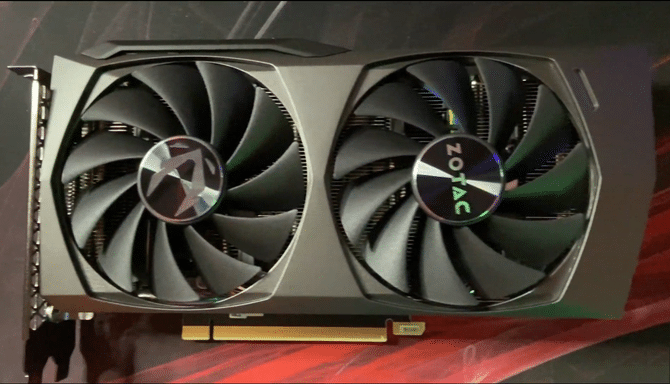
For gamers looking for budget-friendly options with impressive performance, the RTX 3060 Ti Twin Edge is a strong bet. It offers solid 1440p gaming at a reasonable price.
Armed with a GA104 graphics processor, 8GB GDDR6 memory, and a 256-bit bus width, this card delivers excellent performance. It is built with NVIDIA’s Ampere architecture with 2nd generation RTX technology. Gamers feel this GPU outperforms previous generation cards like the RTX 2080.
RTX 3060 Ti Full Specifications
| GPU Architecture | Ampere (GA104) |
| VRAM | 8GB GDDR6 |
| Memory Bus | 256-bit |
| CUDA Cores | 4864 |
| PCIe Interface | PCIe 4.0 x16 |
| TDP | 200W |
Pros and Cons
| Pros | Cons |
|---|---|
| Full x16 interface (no PCIe 3.0 bottleneck) | Only 8GB VRAM is limiting in 2026 |
| Excellent 1440p performance | Higher power draw (200W) than newer cards |
| 5-year warranty from ZOTAC |
5. MSI Radeon RX 6650 XT 8GB – For Very Smooth 1080p Gaming
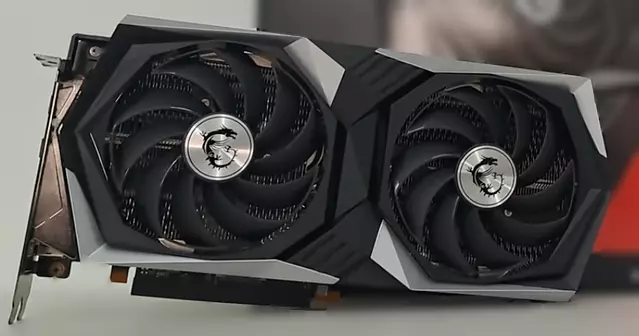
For the best 1080p gaming experience at a budget, the AMD Radeon RX 6650 XT is a fantastic choice. It is built with AMD RDNA 2 architecture to offer an enjoyable experience in the latest games.
The card supports DirectX, Ray Tracing, Variable Rate Shading, and AMD FidelityFX. It offers visuals of amazing quality and also boosts your frame rates for select titles. The effective memory bandwidth available with AMD Infinity Cache is up to 468.9GB/s.
RX 6650 XT Full Specifications
| GPU Architecture | RDNA 2 (Navi 23) |
| VRAM | 8GB GDDR6 |
| Infinity Cache | 32 MB |
| Game Clock | 2410 MHz |
| PCIe Interface | PCIe 4.0 x8 |
| TDP | 180W |
Pros and Cons
| Pros | Cons |
|---|---|
| Excellent 1080p performance and very smooth frame rates | x8 interface means slight performance loss on PCIe 3.0 |
| Supports FSR and Ray Tracing | Only 8GB VRAM |
| Good value for money |
6. Msi Radeon RX 7600 8GB – For High Frame Rates on 1080p Gaming
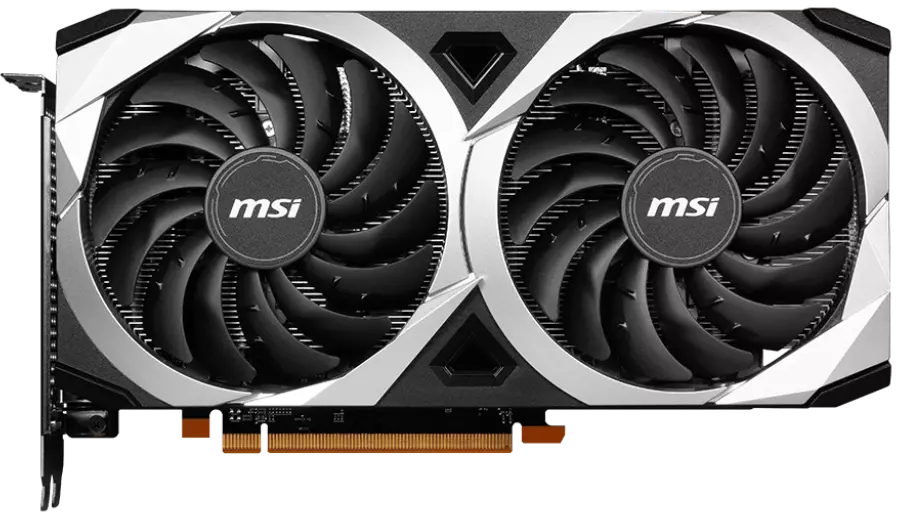
If you are looking for a GPU with next-gen RDNA 3 technology, RX 7600 is the one. Whether you want to explore advanced games or stream at 1080p, this one does it all. It can deliver ultra-smooth performance in the newest AAA games and top eSports titles.
With 8GB of GDDR6 memory and blazing-fast clock speeds, it gives an amazing experience for gaming enthusiasts. It features advanced RDNA 3 compute units, 2nd-generation Ray Tracing accelerators, and new AI accelerators.
RX 7600 Full Specifications
| GPU Architecture | RDNA 3 (Navi 33) |
| VRAM | 8GB GDDR6 |
| Infinity Cache | 32 MB |
| Boost Clock | Up to 2655 MHz |
| PCIe Interface | PCIe 4.0 x8 |
| TDP | 165W |
Pros and Cons
| Pros | Cons |
|---|---|
| Excellent 1080p performance with RDNA 3 | x8 interface results in 5-10% performance loss on your CPU |
| Good for eSports titles | Only 8GB VRAM is limiting for future games |
| Efficient power consumption |
7. Fighter AMD Radeon RX 6600 8GB – For Affordable 1080p Gaming
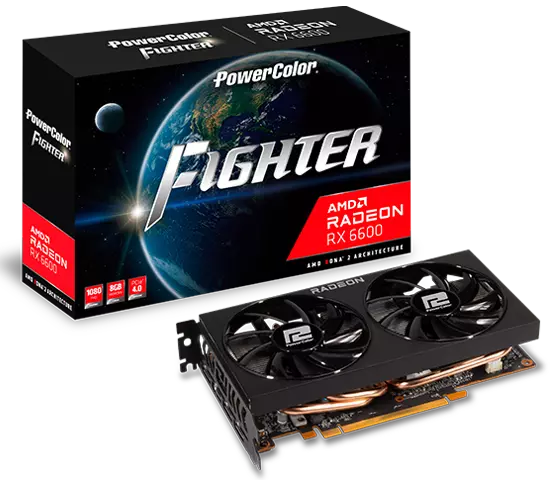
A mid-range GPU designed for 1080p gamers, the Fighter AMD Radeon RX 6600 features 28 compute units, 32MB of Infinity Cache, and 8GB GDDR6 memory. Gamers can expect ultra-high frame rates with this budget-friendly GPU.
With its compact design, it even supports some titles on 1440p. This affordable GPU comes with less noise and is preferred by gamers who desire a noiseless gaming experience. The visuals with RX 6600 are ultra-realistic.
RX 6600 Full Specifications
| GPU Architecture | RDNA 2 (Navi 23) |
| VRAM | 8GB GDDR6 |
| Infinity Cache | 32 MB |
| Boost Clock | Up to 2491 MHz |
| PCIe Interface | PCIe 4.0 x8 |
| TDP | 132W |
Pros and Cons
| Pros | Cons |
|---|---|
| Very affordable entry point | x8 interface means slight performance loss on PCIe 3.0 |
| Low power consumption (132W) | Only 8GB VRAM |
| Quiet operation | Ray tracing performance is limited |
Cards to Avoid with Your Ryzen 5 5600G
NVIDIA GeForce RTX 5060 8GB
This might seem like a natural budget choice, but it’s a trap for your CPU. Its x8 interface means it loses performance on your PCIe 3.0 bus. Worse, the 8GB of VRAM is simply not enough for 2026 games. Reviewers found stuttering and texture issues in titles like Alan Wake 2 and The Last of Us Part 1.
NVIDIA GeForce RTX 3050 6GB
Unless you need a card with absolutely no external power cable, skip this. It’s around 53% slower than a Radeon RX 6600, and Nvidia’s naming scheme for this product line is confusing.
How to Choose the Right Graphics Card for Your 5600G
Pairing a GPU with an APU requires checking a few specific things. Here is exactly what matters.
The PCIe Lane Count is Critical
Your Ryzen 5 5600G is limited to PCIe 3.0. This matters because many modern budget GPUs use a narrower x8 interface instead of the standard x16.
- PCIe 4.0 x8 Bandwidth: ~16 GB/s (Standard for new systems)
- PCIe 3.0 x8 Bandwidth: ~8 GB/s (Your system limit)
When you put a PCIe 4.0 x8 card (like the RTX 5060 or RX 7600) into your 5600G system, it runs at half its intended bandwidth. While High-end cards with plenty of VRAM don’t mind this, 8GB cards can suffer. If a game fills the 8GB Video Memory, the card needs to pull data from system RAM over that narrow PCIe 3.0 x8 bus, causing massive stutters and FPS drops.
The Fix: To guarantee 100% of your GPU’s potential, choose a card with a full x16 interface (like the RX 9060 XT or RTX 3060).
Workstation vs. Gaming Needs
Are you just gaming, or do you also work?
- For Gaming: AMD typically offers 10-20% more raw performance per dollar.
- For Work: If you handle video editing in Premiere Pro, or 3D rendering in Blender, Nvidia is superior. Nvidia’s CUDA cores and OptiX API drastically speed up render times compared to AMD’s OpenCL using the 5600G’s integrated graphics. The RTX 5060 Ti’s NVENC encoder is also the gold standard for streaming.
Power Supply Requirements
Don’t just guess. Here are the estimated total system power draws (5600G + GPU + Components) and what PSU you should actually buy:
| GPU Combination | Est. Total System Draw | Safe PSU Recommendation |
|---|---|---|
| RX 6600 / RTX 3060 12GB | ~330W | 500W |
| RX 6650 XT / RX 7600 | ~315W | 550W |
| RX 9060 XT / RTX 5060 Ti | ~380W | 600W+ |
Should You Wait for Upcoming GPUs or Buy Now?
The currently available graphics cards are more than enough for the Ryzen 5 5600G. Also, upcoming graphics cards may have higher memory bandwidth requirements that are out of optimal compatibility with your PCIe 3.0 processor.
If you are getting a graphics card with good pricing and performance, 2026 is a nice time to upgrade. However, if your selected card is overpriced, you can wait for pricing to normalize.
Frequently Asked Questions
Which GPU is best for Ryzen 5 5600G?
For 2026, the AMD RX 9060 XT 16GB is the best overall due to its full x16 interface and 16GB VRAM. For budget buyers, the RTX 3060 12GB remains excellent due to its low price and zero PCIe bottleneck.
Can you put a GPU in a Ryzen 5 5600G?
Yes, you can use a discrete graphics card with Ryzen 5 5600G. The system will automatically switch to the dedicated GPU for gaming once it’s installed and connected to your monitor.
Is Ryzen 5 5600G good for gaming with a GPU?
Yes, you can use Ryzen 5 5600G to play games on ultra-realistic graphics on almost every resolution. However, it is a PCIe 3.0 processor, so it can have slower speeds with PCIe 4.0 x8 GPUs.
Will a Ryzen 5 5600G bottleneck an RTX 5060 Ti?
Slightly, yes. Because the 5060 Ti uses an x8 PCIe interface, you will lose some performance on your PCIe 3.0 CPU. The impact is usually 5-10% in demanding games.
Is 8GB VRAM enough for gaming in 2026?
No. Reviewers have shown that 8GB cards stutter and drop textures in modern AAA titles. Stick with 12GB or 16GB cards for a smoother experience.
Conclusion
Though the Ryzen 5 5600G offers decent performance, it needs a dedicated GPU upgrade for playing graphics-intensive games. Only then can you enjoy games with better resolutions.
While choosing a graphics card, make sure it is compatible with your motherboard. Look for cards with a full x16 interface to get the best performance on your PCIe 3.0 system. Go for the best and have a steady and enthralling gaming experience.
For most users, the RX 9060 XT 16GB is the clear winner. It offers the best value, avoids the PCIe bottleneck, and has enough VRAM for years to come.

Aveloria Thessar, based in California, USA, is Head Content Editor at BestGuides.in and a lead hardware reviewer with 8+ years of hands-on experience in building and benchmarking PCs. She began assembling her first PC in high school, sparking a lifelong passion for graphics cards, high-performance CPUs, gaming laptops, and SSDs. Over the years, Aveloria has tested dozens of components, running repeatable benchmarks to deliver accurate, practical insights. She shares her expertise through detailed guides and reviews, helping enthusiasts make confident, informed decisions, while actively contributing to tech communities and professional networks to stay at the forefront of PC hardware trends.
hey guys i got ryzen 5 5600g with 600w psu and 1080 monitor, thinking to upgrade but stuck. should i go rx 6650xt or spend more on rtx 3060ti? mostly play valorant n fortnite. any advice?
as per the given options RTX 3060 ti is better. however, if you want you can look for RTX 5060 ti new option
is rx 6700 xt too much for 5600g? i read it can bottleneck but idk if thats really big problem at 1080p. i just want stable fps above 100.
yes it can bottleneck, but in latest high graphic demanding games it will not.
which gpu better value now for 400 euro budget – rx 6600/6650xt or rtx 3060? i also saw intel arc a750 but not sure about drivers and support. anyone here using it with 5600g?
Currently look for minimum RTX 5060 or RTX 5060 ti for this budget